



Invoice and get paid
Business and up

A Pay now button that opens the customer's own bank

Put a Pay now button on the invoice and in its email. Your customer picks their bank, approves the transfer there, and the money lands in your account directly; invoiso never holds it. The invoice marks itself paid the moment the bank accepts. Which currencies and countries are on offer depends on where your business is registered — the payment methods page lists them — and invoiso charges nothing and takes no percentage.

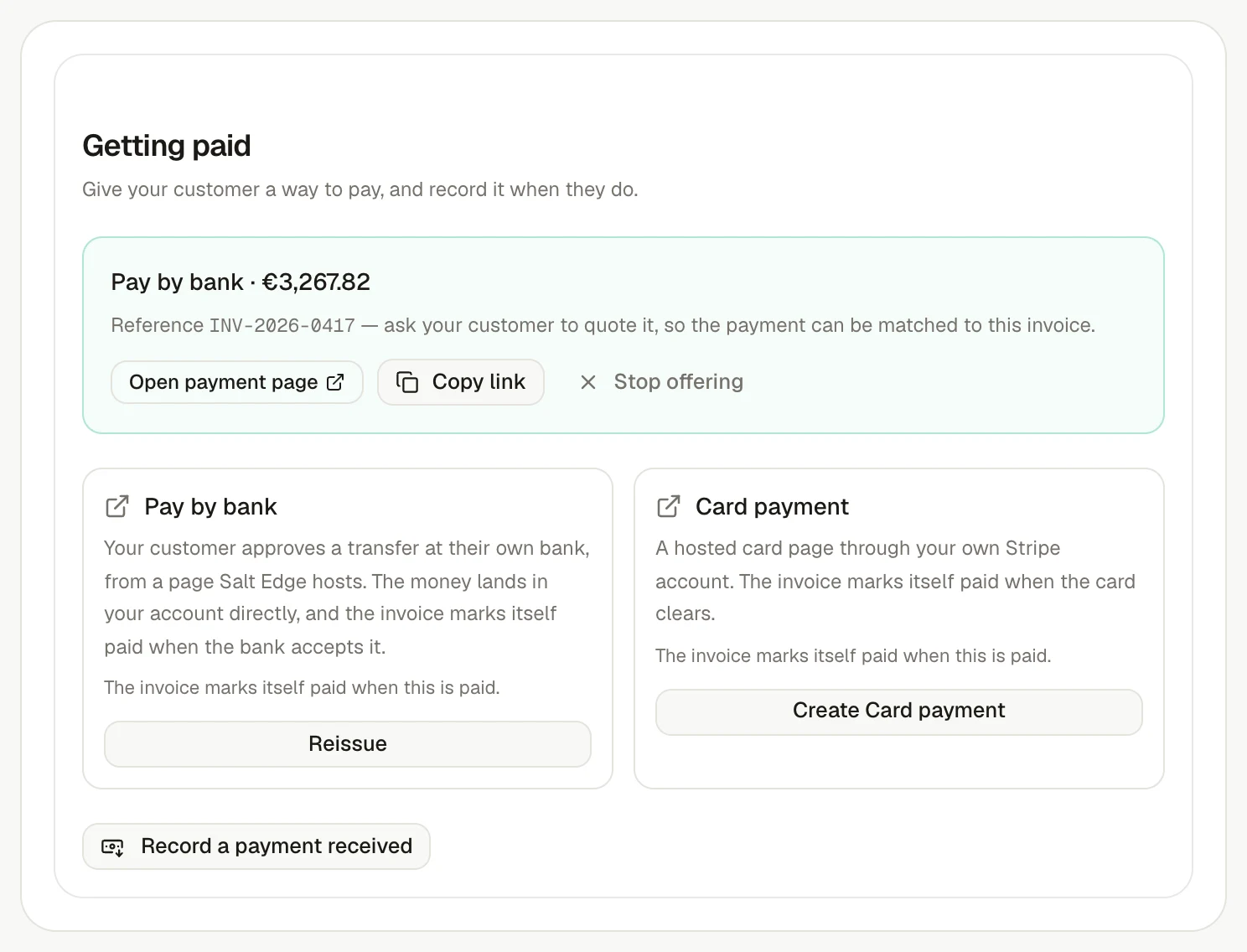
An invoiso invoice's payment panel offering Pay by bank beside the card page, with the link issued and its status.
One button on the invoice: the customer approves the transfer at their own bank, and the invoice marks itself paid when the bank accepts.

How it works

Three steps, none of them here

  1. 1

    You issue the link on the invoice; it goes out on the PDF and in the email.

  2. 2

    Your customer taps Pay now, picks their bank and approves the transfer there.

  3. 3

    The bank accepts, the money lands in your account, and the invoice marks itself paid.

From invoice to payment

Keep every step tied to the invoice.

Create, send, follow up and record payment against the same invoice, so the customer-facing document and the financial trail never drift apart.

Availability

Business and up

Part of

Invoice and get paid

Try asking

  • Send Acme a pay-by-bank link for the outstanding invoice
  • Has the bank accepted the payment on invoice 0417?

Frequently asked questions

How does this feature work?

Put a Pay now button on the invoice and in its email. Your customer picks their bank, approves the transfer there, and the money lands in your account directly; invoiso never holds it. The invoice marks itself paid the moment the bank accepts. Which currencies and countries are on offer depends on where your business is registered — the payment methods page lists them — and invoiso charges nothing and takes no percentage.

Which plan includes this feature?

Business and up. The pricing page shows the current plan boundary and any usage allowances.

Can I use the invoiso assistant with this workflow?

Yes. The in-app assistant can work with the records available to your plan, and it asks before it sends, deletes or sets up anything recurring. For example: “Send Acme a pay-by-bank link for the outstanding invoice”.