















Match money to records
Business and up

Connect your bank. No more statement downloads.

Link a business account at your bank. Its transactions go into the same matching queue a statement upload feeds, deduplicated against anything you imported by hand, and the accounts your bank reports become the company's own bank accounts in invoiso. You log in at the bank, never here; access lasts as long as your bank allows and can be withdrawn at any time.

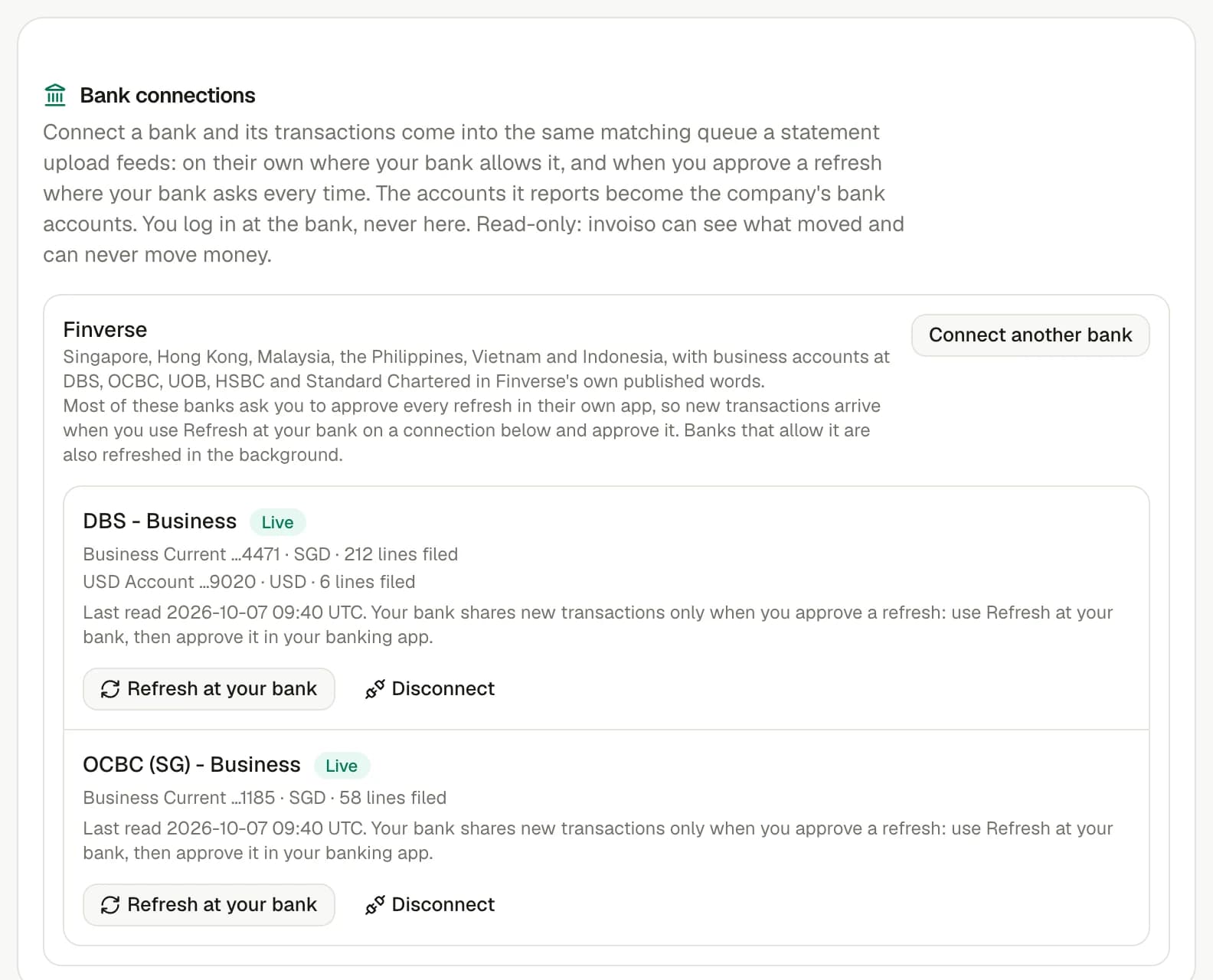
The bank connections card in invoiso's settings, with two banks connected and the accounts and lines each has filed.
The bank connections card in Settings: each bank, its accounts, and the lines each has filed into the matching queue.

Banks you can connect

You log in at your bank; invoiso files what it shares

A selection of the banks you can connect. Access is authorised at your bank, for the period it allows, and can be withdrawn there or in Settings at any time.

Most business banks in Asia ask for your approval in their own app every time new transactions are fetched. So they arrive when you start a refresh in invoiso and approve it, not on their own in the background.

  • DBS
  • OCBC
  • UOB
  • Standard Chartered
  • Citibank
  • Maybank
  • CIMB
  • HSBC
  • Bank of China (HK)
  • Hang Seng Bank
  • BDO
  • UnionBank

Banks in Asia: Singapore, Hong Kong, Malaysia, Philippines, Vietnam, and Indonesia

Bank names and logos are their owners' trademarks, shown only to identify them; no affiliation or endorsement is implied.

From bank line to settled balance

Match the movement. Keep the evidence.

A receipt or payment makes sense only beside the invoice, bill or credit note it settles. Keeping both sides attached makes every balance and ageing figure explainable.

Availability

Business and up

Part of

Match money to records

Try asking

  • How much came in from customers through the bank last month?
  • Which lines from the bank are still unmatched?

Frequently asked questions

How does this feature work?

Link a business account at your bank. Its transactions go into the same matching queue a statement upload feeds, deduplicated against anything you imported by hand, and the accounts your bank reports become the company's own bank accounts in invoiso. You log in at the bank, never here; access lasts as long as your bank allows and can be withdrawn at any time.

Which plan includes this feature?

Business and up. The pricing page shows the current plan boundary and any usage allowances.

Can I use the invoiso assistant with this workflow?

Yes. The in-app assistant can work with the records available to your plan, and it asks before it sends, deletes or sets up anything recurring. For example: “How much came in from customers through the bank last month?”.