



All use cases

Agencies, consultancies & contractors

See which projects actually make money

Invoice the work, assign income and costs to projects, set shared budgets and see actual performance without rebuilding it in a spreadsheet.

Where work breaks apart

When the records live in different places

Project revenue lives in invoices, project costs in supplier bills and the budget in a separate sheet. By the time those numbers meet, the decision they were meant to support has often passed.
With invoiso

One workflow, one paper trail

Assign the same invoice and expense lines that run the books to project centres. You get a live view of project performance without changing document totals, tax or accounting exports.

How it comes together

Three steps to a connected workflow

  1. 1

    Bill the work

    Create one-off invoices or schedule repeat retainers while supplier bills and receipts become expenses in the same workspace.

  2. 2

    Put every line in context

    Split invoice and bill lines across a project hierarchy by amount or percentage. Share a cost across projects, while anything unassigned stays visible as Unallocated.

  3. 3

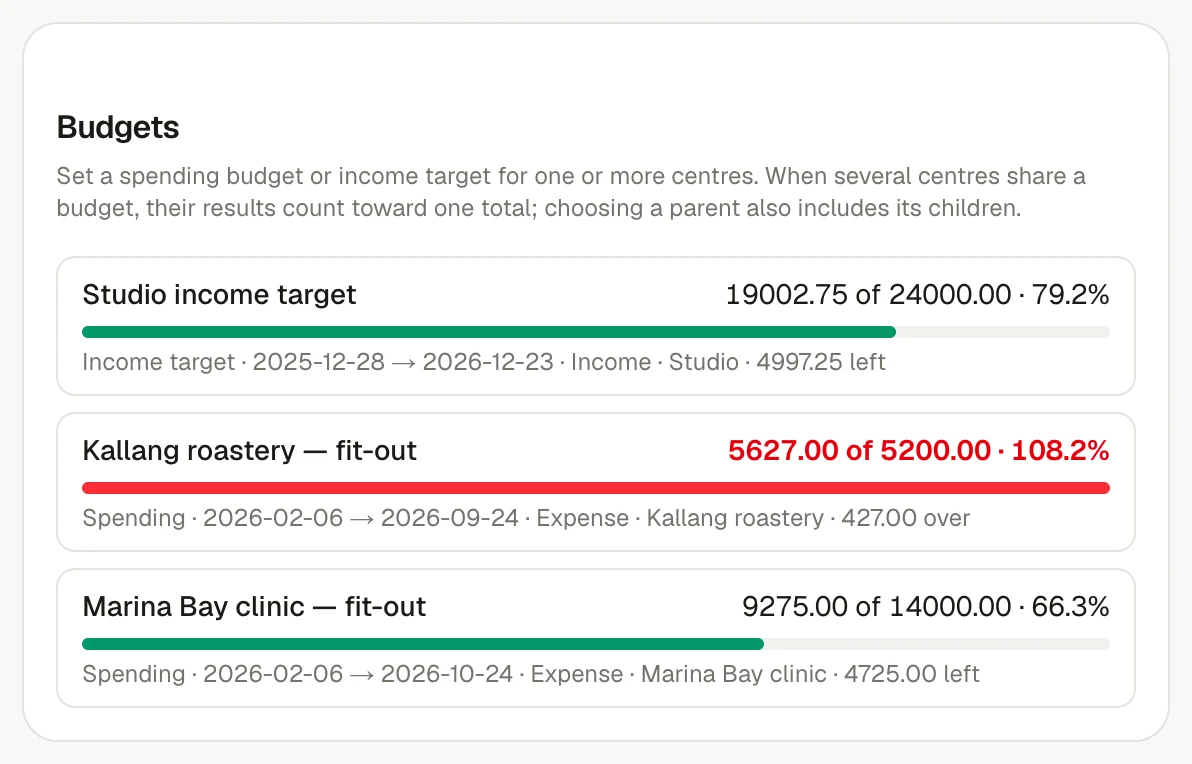
    Compare budget with actuals

    Review income, expenses and budget together, then open a project to see the documents behind the result.

See it in invoiso

The workflow, in the product.

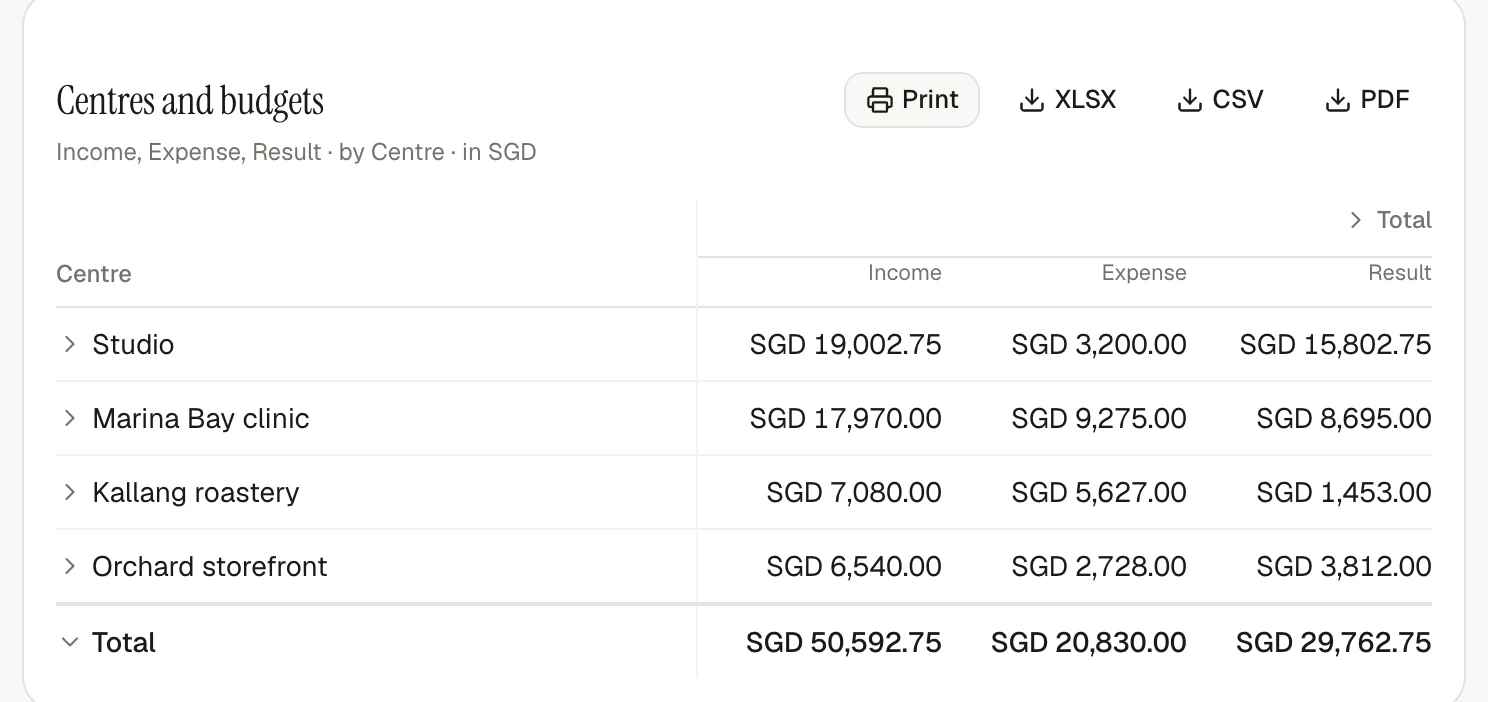
A current invoiso centres and budgets report for a project-based service business.
Compare project income, costs and budget, then open the records behind any result.

Frequently asked questions

Can one cost be shared across several projects?

Yes. Invoice and bill lines can be split across centres by amount or percentage, including shared costs that belong to more than one project.

Do project allocations change invoices or tax?

No. Analytical splits are a management view. They do not change document totals, tax or accounting exports.

What happens to work that has not been assigned?

It remains visible as Unallocated, so a project report cannot silently lose part of the business.

Start at your pace

Start with the invoice. Let invoiso handle more when you are ready.

Start free