



Where work breaks apart
When the records live in different places
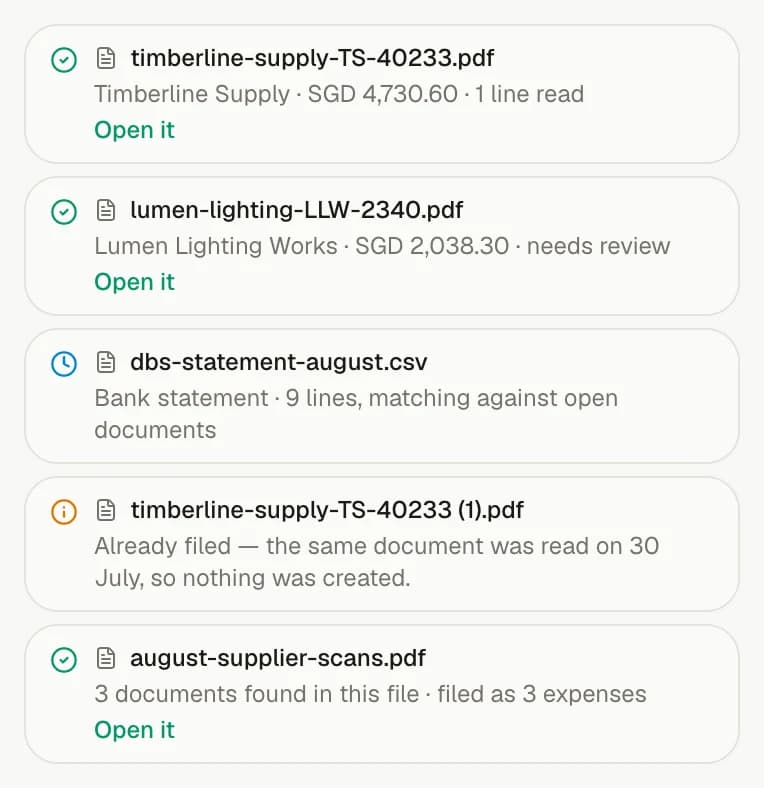
A monthly handover built from inboxes, forwarded PDFs and spreadsheets makes it hard to see what was reviewed, what changed and which number is final.
Owners + bookkeepers
Bring bills in from the mailbox, verify supplier details, reconcile the bank, protect completed periods and send clean records to Xero or QuickBooks.
Where work breaks apart
A monthly handover built from inboxes, forwarded PDFs and spreadsheets makes it hard to see what was reviewed, what changed and which number is final.
With invoiso
Work from the same records, keep every source attached and protect completed work with a closed-period boundary. AI follows the same permissions and previews changes before applying them.
How it comes together
Connect a supported mailbox so supplier bills are read and filed as they arrive, with the original document attached for review.
Keep the owner and bookkeeper in the same workspace, verify changed supplier bank details and match bank activity to the records behind it.
Move the closed-period boundary forward, then send validated invoices and expenses to Xero or QuickBooks without rekeying them.
What makes it work
Open any feature for a closer look at what it does, which plan includes it and the product screen behind it.
Connect a mailbox and supplier bills are read and filed as they arrive, with nothing to upload. Access stays read-only and bounded per run, and invoiso tells you when the connection needs renewing.
Explore the featureBusiness and upReview bank details read from each bill, save confirmed accounts to the supplier and export selected unpaid bills as an ISO 20022 payment file. Changes and missing details are flagged before download; invoiso never guesses account details or moves money.
Explore the featureCompleteGive everyone working on the books access to the same records instead of emailing exports around. Remove someone once and their access disappears across the workspace.
Explore the featureCompletePush invoices and expenses to your accounting software with tax codes mapped once. invoiso shows missing information before anything is sent, rather than handing the problem back as an error afterwards.
Explore the featureIncluded on every planSet how far back the books are complete and nothing can write behind that line — not you, the assistant or an automated run. The boundary moves forward automatically instead of relying on someone to remember.
Explore the featureIncluded on every planUse plain language across invoices, expenses, contacts, products, stock, bank statements, recurring schedules and settings. The assistant can do the same work you can do in the UI, asks before it sends, deletes or sets up anything recurring, and still respects closed periods.
Explore the featureSee it in invoiso

Yes. Complete supports unlimited team access so people working on the books can use the same records instead of emailing exports around.
Once the boundary is set, neither a person, the assistant nor an automated run can write behind it.
Yes. Invoices and expenses can be pushed to Xero or QuickBooks after missing information and tax-code mappings are reviewed.
Start at your pace