



Where work breaks apart
When the records live in different places
The supplier invoice is only the starting cost of imported stock. Freight, customs, units, exchange rates and payment details arrive on different documents at different times.
Importers & wholesalers
Read every line on a supplier bill, allocate freight and duty, verify supplier bank details and value stock across currencies and locations.
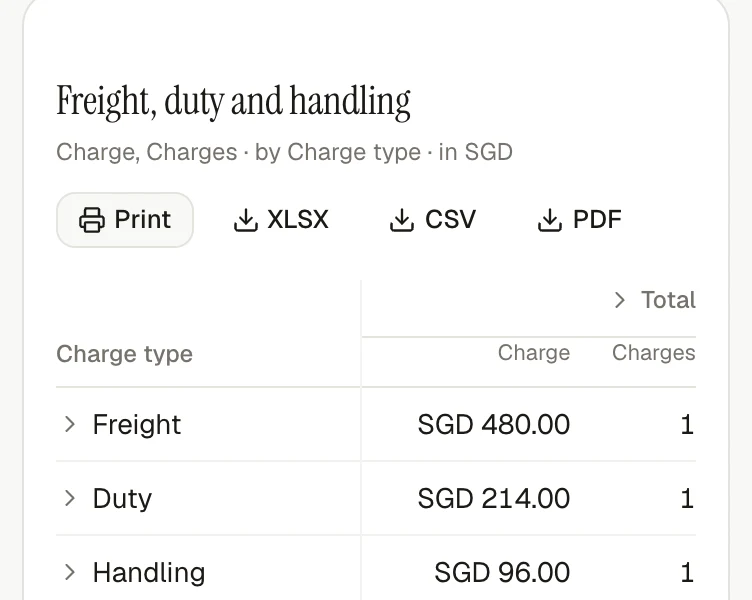
Where work breaks apart
The supplier invoice is only the starting cost of imported stock. Freight, customs, units, exchange rates and payment details arrive on different documents at different times.
With invoiso
Keep every source beside its structured record, attach freight and customs bills to the purchases they belong to and let stock value update when a source changes.
How it comes together
Upload the supplier invoice and review the extracted items, quantities and totals beside the original PDF.
Attach shipping or customs bills to the relevant purchases and allocate them by value, quantity, weight or volume.
Verify supplier bank details before building a payment file, then report stock value using the exchange rate from each document's date.
What makes it work
Open any feature for a closer look at what it does, which plan includes it and the product screen behind it.
Every plan reads the supplier, date, tax and total needed to file a bill. Detailed reading also captures each item, quantity, unit price and matching product, turning the source document into reportable line data.
Explore the featureBusiness and upAttach a shipping or customs bill to the purchases it belongs to, then allocate the cost by value, quantity, weight or volume. Because the allocation is recalculated from the source records, correcting the bill also corrects stock value.
Explore the featureBusiness and upPurchases move stock in and sales move it out. Quantity and value are replayed from that history instead of stored as a number to overwrite, so switching between FIFO, LIFO and weighted average rewrites nothing.
Explore the featureBusiness and upGive each unit a measure such as each, mass, volume or length. invoiso can then combine kilograms with grams correctly and allocate landed costs only across compatible quantities.
Explore the featureBusiness and upReview bank details read from each bill, save confirmed accounts to the supplier and export selected unpaid bills as an ISO 20022 payment file. Changes and missing details are flagged before download; invoiso never guesses account details or moves money.
Explore the featureIncluded on every planConvert documents using European Central Bank rates pinned to the document date, not today's rate. Future-dated documents use the latest available rate, then repin when their date arrives.
Explore the featureSee it in invoiso
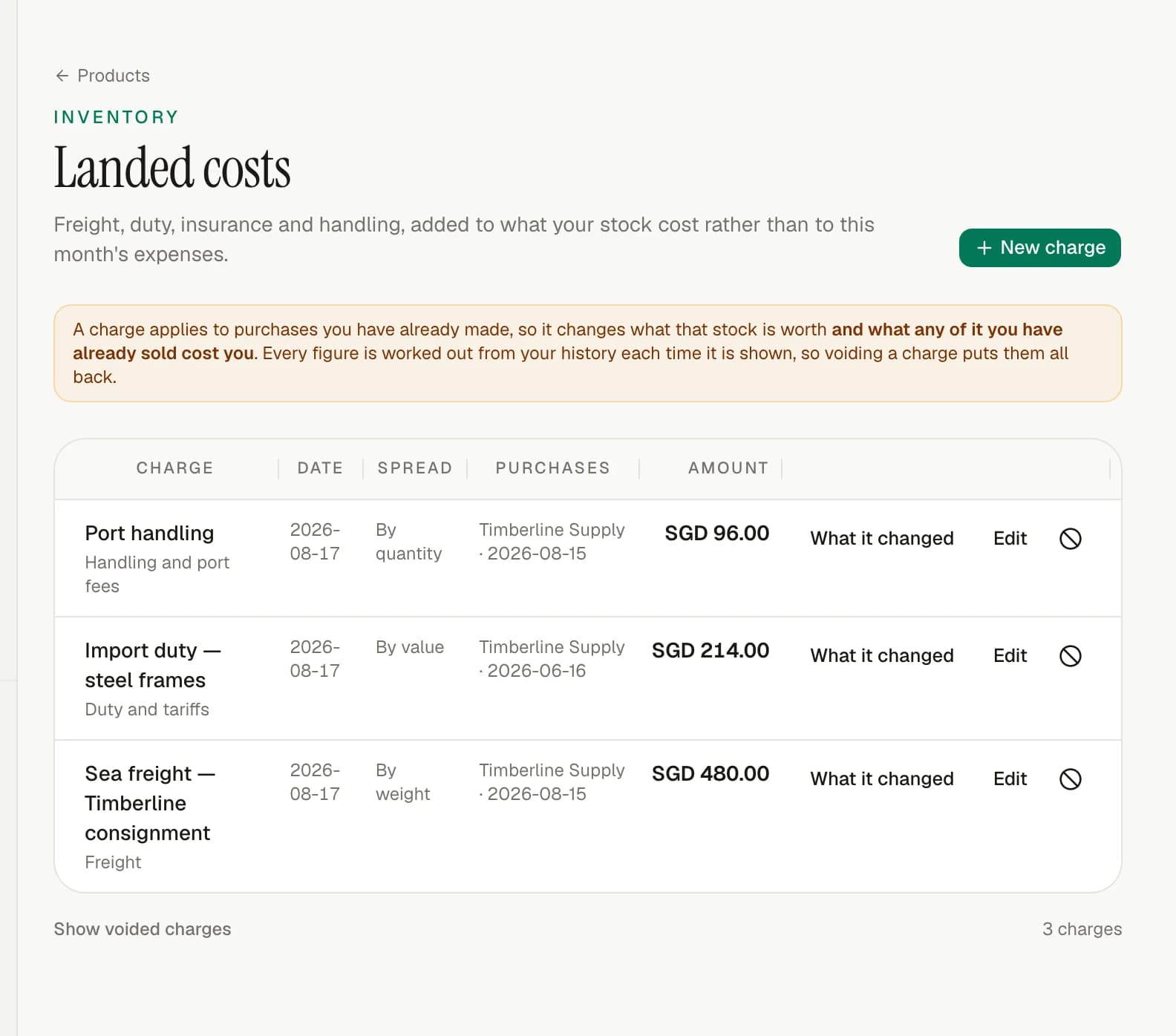
A shipping or customs bill can be allocated by value, quantity, weight or volume across the purchases it belongs to.
The allocation is recalculated from the source records, so correcting the bill also corrects the resulting stock value.
No. It can review bank details and create an ISO 20022 payment file, but it never guesses account details or moves money.
Start at your pace