Know who authorised the spend, before the money leaves
Decide which bills and invoices need signing off and by whom, hold them until everybody named has agreed, and keep the authorisation on the document itself.
Once more than one person can commit money, the authorisation lives in chat, email and a conversation by somebody's desk. Months later — for a board, an auditor or a lender — nobody can show who agreed to a payment, or whether anybody did before it went out.
With invoiso
One workflow, one paper trail
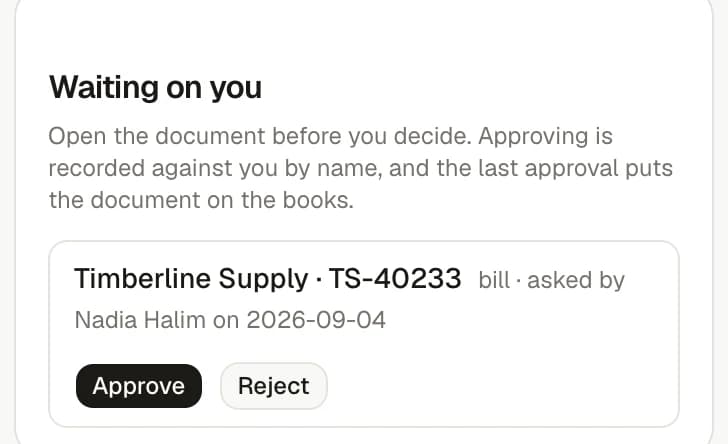
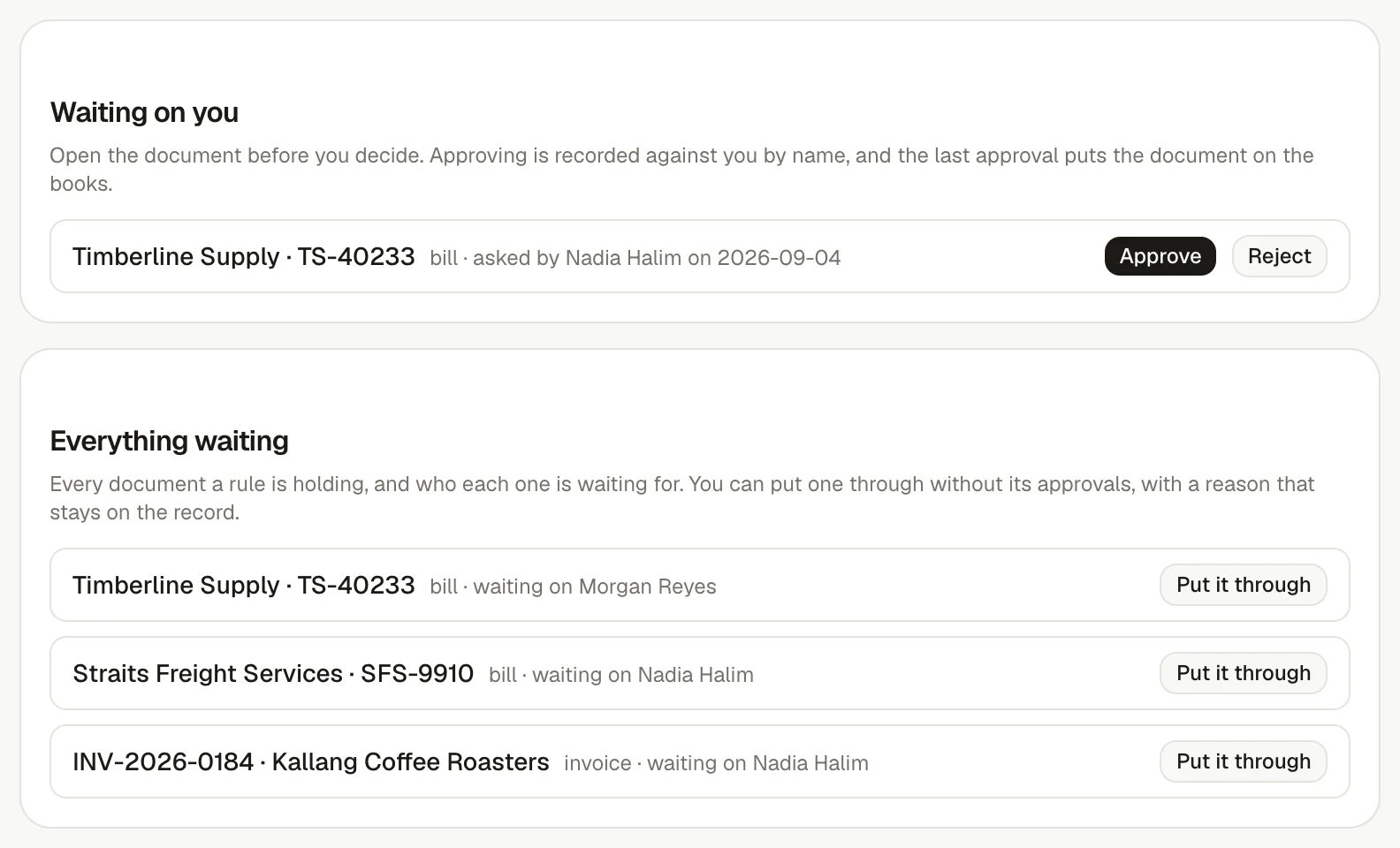
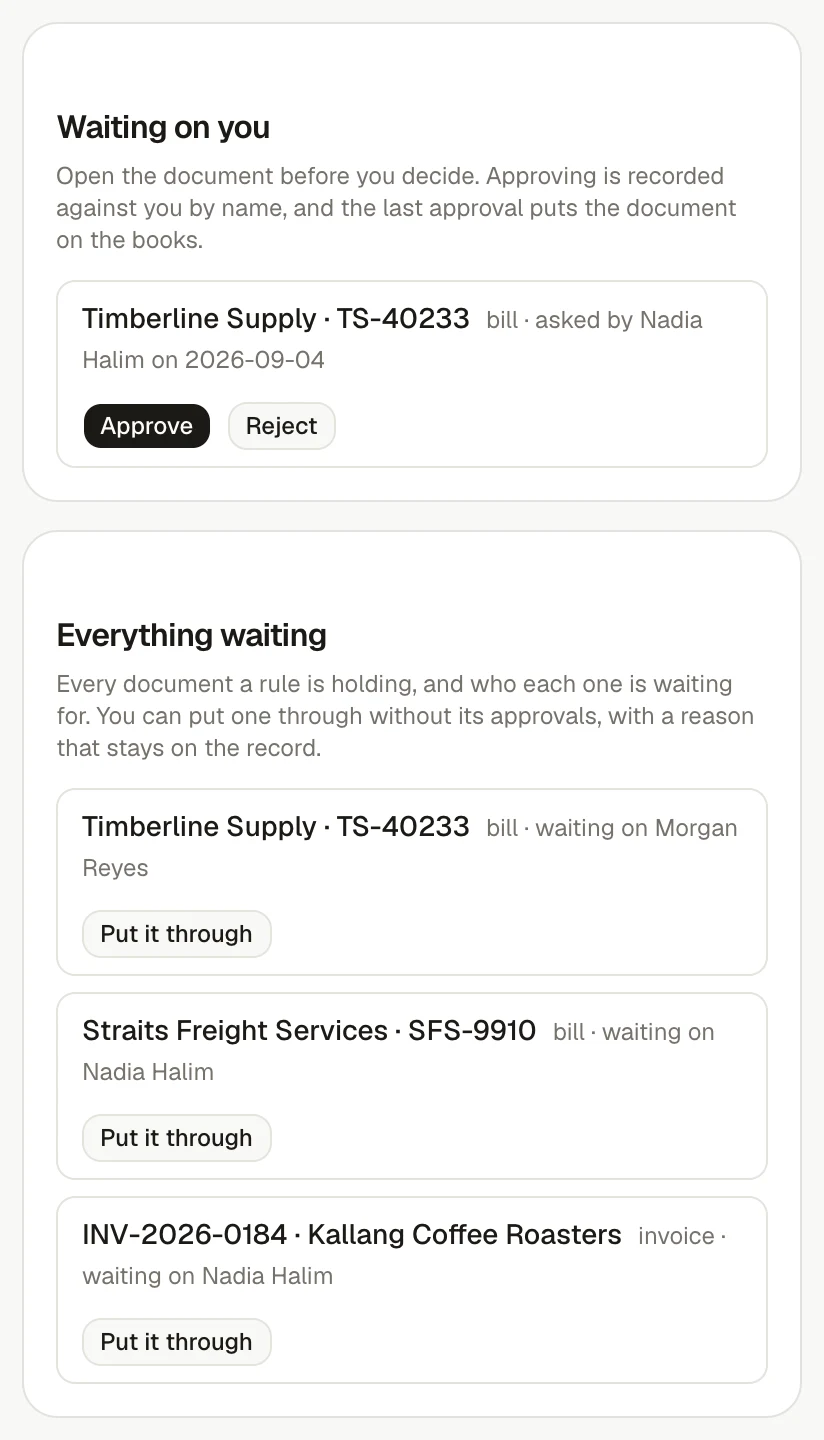
A bill or invoice a rule names cannot reach the books until everybody named has agreed, so the authorisation happens before the payment run rather than being reconstructed after it. Every request, approval, rejection and override sits on the document's own history with the person and the date.
How it comes together
Three steps to a connected workflow
1
Write the rules once
Name the documents that need signing off — by who filed them, the supplier or customer, the category, how they arrived, or an amount — and name the people who have to agree. Where two rules cover the same document, everybody both rules name is asked.
2
The document waits, and says who for
A bill a rule names cannot be confirmed and an invoice cannot be issued until everybody named has agreed. One rejection sends it back with a reason, and nobody is ever asked to approve their own work.
3
The authorisation stays with the document
Every request, decision and override is written to the document's history with the person and the date, so the answer to who approved this is on the record rather than in somebody's inbox.
What makes it work
Explore the features behind this workflow.
Open any feature for a closer look at what it does, which plan includes it and the product screen behind it.
See everything a rule is holding, and who each document is still waiting on.
Frequently asked questions
Does switching approvals on hold up work already in the workspace?
No. A document no rule names needs no approval, so the switch on its own changes nothing. The first rule you write is what starts holding documents.
Can somebody approve a bill they entered themselves?
No. The person who filed the document and the person who asked for approval are both excluded, even when a rule names them. A rule whose only approver is the person who filed the document is refused rather than passed.
What happens when something genuinely has to go through?
An owner or an administrator can put a document through without its approvals, and has to type a reason. The override and its reason stay on the document's history.
Start at your pace
Start with the invoice. Let invoiso handle more when you are ready.